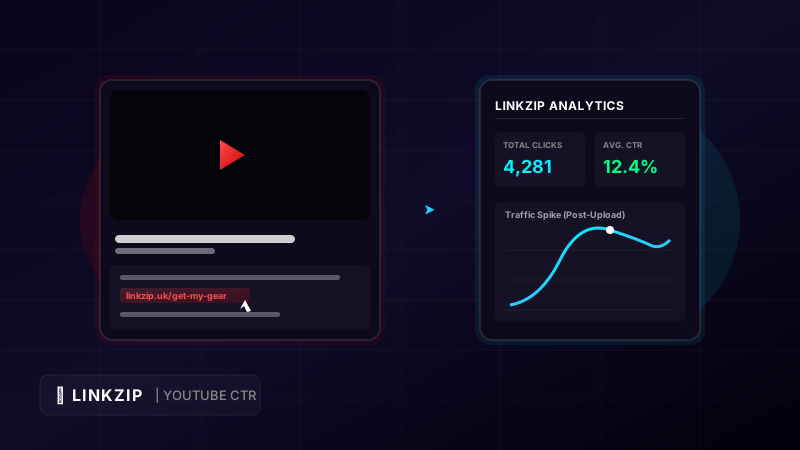
YouTube is the second largest search engine in the world, processing billions of queries every day. For content creators, brands, and digital marketers, it represents an unparalleled stream of high-intent organic traffic. Whether you are review-blogging, demonstrating software, or sharing lifestyle content, a video is a highly persuasive medium. However, converting that passive viewer engagement into active website visits, leads, or product sales remains a major bottleneck.
The primary bridge between your video and your external destination is the YouTube video description box. If your description box is unorganized, hard to read, or uses long, suspicious-looking links, viewers will hesitate to click. On the other hand, a carefully structured description that utilizes branded, clean, and trackable short URLs can triple your click-through rate (CTR).
In this comprehensive guide, we will break down the ideal layout for a high-converting YouTube description, show you how to convert ugly URLs into beautiful brand assets, and explain how to track your traffic metrics in real-time using LinkZip.uk.
1. The Anatomy of a High-Converting YouTube Description
A common mistake is treating the description box as an afterthought—simply pasting a single link and writing a one-line summary. To maximize engagement, your description should follow a deliberate, multi-part layout.
A. Above the Fold (The First 200 Characters)
Only the first two lines of your video description are visible on desktop and mobile feeds before a viewer clicks “Show More.” This is prime digital real estate.
- The Hook: Briefly summarize the video’s core value proposition using primary keywords.
- The Primary Call-to-Action (CTA): Place your most important link here. If you are promoting a specific sponsor, affiliate product, or lead magnet, the link must be visible immediately without requiring the user to expand the description.
- Example: “Learn how to build a SaaS startup in 10 minutes. Grab the free setup checklist here: linkzip.uk/saas-checklist”
B. Below the Fold (The Deep Dive)
Once a viewer clicks “Show More,” you can provide additional context, resources, and structural links:
- Detailed Summary: Write a 2-3 paragraph summary of the video topic. This helps YouTube’s algorithm crawl your video for SEO relevancy.
- Timestamps (Chapters): Group your video into logical sections (e.g.,
0:00 - Intro,1:45 - The Problem,4:30 - Setup). YouTube will automatically parse these into clickable video chapters, which increases user experience and search visibility. - Resources & Gear Links: List the tools, equipment, or reference articles mentioned in the video.
- Social Links & Channel CTA: Invite viewers to subscribe and follow you on other social channels.
2. The Danger of Raw, Parameter-Heavy URLs
When you build marketing campaigns, you need to track where your traffic is coming from. This usually involves adding UTM tracking parameters to your URLs. While UTMs are essential for tools like Google Analytics, they look terrible when exposed to the end user.
Consider this comparison:
- Raw UTM Link:
https://yoursite.com/shop/products/leather-jacket?utm_source=youtube&utm_medium=video_description&utm_campaign=summer_launch&utm_content=discount_code - Cleaned Link:
linkzip.uk/summer-jacket
Both URLs direct the user to the exact same product page with the exact same analytics data. However, the raw link is long, messy, and raises security concerns. In an age of cyber threats, web users have trained themselves to avoid clicking links that look suspicious or overly technical. A long, scrambled URL screams “you are being tracked” or “you are about to be targeted with ads.”
Using clean, branded short links establishes instant authority. It assures viewers that the link is safe, professional, and directs them exactly where they expect to go.
3. How to Convert YouTube Links with LinkZip.uk
LinkZip.uk offers a simple, powerful platform for creating short, trackable links with custom aliases. Transforming your video description links takes only a few seconds.
Step-by-Step Implementation:
- Create your tracked URL: Generate your destination URL containing any required UTM tracking parameters. For example:
https://yourdomain.com/landing-page?utm_source=youtube&utm_medium=description&utm_campaign=june_promo - Shorten on LinkZip: Log in to your LinkZip dashboard, paste your long parameter-rich URL into the shortener box.
- Customize the Alias: Instead of using a random alphanumeric string, type a descriptive alias that matches your video’s verbal call-to-action (e.g.,
linkzip.uk/june-promo). - Insert in Description: Paste the new short link into your YouTube upload interface.
The Power of Dynamic Redirects
One of the most significant advantages of using LinkZip for YouTube is the ability to edit destination URLs after publishing.
YouTube does not allow you to edit video content once it is uploaded. If a sponsor changes their landing page, if a product goes out of stock, or if you change affiliate networks, you would normally have to manually edit the description of dozens of old videos.
With LinkZip, you simply log in to your dashboard and change the destination URL of your short link. The redirect updates instantly across all your past videos, saving you hours of tedious work and preventing lost commissions.
4. Key Performance Indicators (KPIs) to Track
By replacing raw links with LinkZip redirects, you gain access to an advanced analytics dashboard. You should monitor these key metrics to optimize your video campaigns:
| Metric | Marketing Definition | How to Optimize |
|---|---|---|
| Total vs. Unique Clicks | Total clicks measure total activity; unique clicks show how many individual viewers clicked. | If total clicks are high but unique clicks are low, it means a small group of users is clicking repeatedly. Make your CTA broader. |
| Device Breakdown | Tells you if your viewers browse on mobile, desktop, tablet, or Smart TV. | Over 70% of YouTube views happen on mobile. If LinkZip shows high mobile traffic, optimize your destination page for fast mobile loading. |
| Geographic Location | Identifies the countries and cities where your clicking audience lives. | Use this data to adjust your shipping options, product pricing, or video publishing timezone. |
| Click Timings | Real-time click distributions over hours, days, and weeks. | Correlate click spikes with your video upload schedule to find the optimal days and hours to publish. |
5. Frequently Asked Questions (FAQ)
Does YouTube penalize videos that use shortened links?
No. YouTube does not penalize videos for using URL shorteners. However, you should avoid using low-quality, untrustworthy shorteners that are commonly blacklisted by spam filters. Reputable platforms like LinkZip, which actively scan destinations with security APIs to block malicious links, are safe to use on all social media networks.
How many links can I add to a single YouTube description?
While YouTube does not enforce a strict limit on the number of links in a description, you should avoid cluttering the box. A description with 30 links looks like spam to both viewers and search algorithms. Keep it focused: use 1 primary link above the fold, and 3-5 resource links below the fold.
Can I track different traffic sources using the same short link?
To keep your data clean, it is best to create unique short links for different platforms. For example, use linkzip.uk/product-yt for YouTube and linkzip.uk/product-ig for Instagram. This allows you to compare the conversion efficiency of each platform in your LinkZip dashboard.
Pro Tip: Long, complicated links reduce user trust and lower click-through rates. Use a free link management tool like LinkZip.uk to clean up your links, customize your aliases, and track clicks in real-time.
Conclusion
Your YouTube description box is a vital component of your marketing funnel. Swapping long, untrustworthy, parameter-filled URLs for clean, descriptive, and trackable links with LinkZip.uk increases user confidence, improves your video aesthetics, and provides the real-time data you need to scale your traffic. Stop sending viewers to messy destinations—brand your links, optimize your descriptions, and track your success today.