In the world of search engine optimization (SEO), links are the neural pathways of the internet. They allow search engine crawlers to discover new pages, understand the relationships between different topics, and distribute “link juice” (page authority) throughout your website.
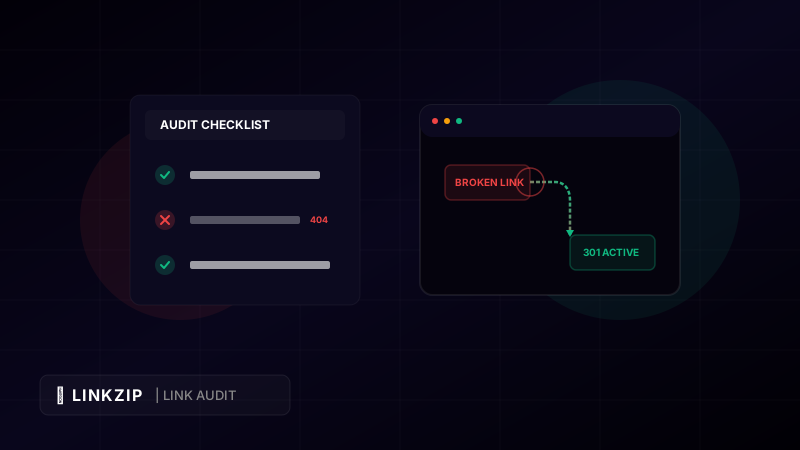
However, websites are dynamic. Pages are deleted, directories are restructured, and external resources you link to are moved or taken offline. Over time, these changes lead to broken links, which are links that point to a page that no longer exists (typically returning a 404 Not Found error).
Ignoring broken links on your site is a major risk. It damages the user experience, wastes your website’s crawl budget, and erodes your search rankings. In this step-by-step guide, we walk you through how to perform a comprehensive website link audit to identify and fix these links, and how to use modern redirection strategies to protect your SEO.
The True Cost of Broken Links
Many site owners overlook broken links because they are invisible on the surface. However, their hidden impact is substantial:
- Frustrated Users: Imagine a visitor reading an informative blog post. They click on a link to download a resource or view a product, only to land on an ugly 404 page. This interrupts their journey and increases the likelihood they will bounce back to Google.
- Wasted Crawl Budget: Search engines allocate a limited amount of resources (time and bandwidth) to crawl each website. If Googlebot spends its time hitting broken links, it has less opportunity to index your new, high-quality content.
- Erosion of PageRank: Links transfer authority from one page to another. When a link breaks, that authority is lost in a dead end, reducing the ranking potential of your internal pages.
Step 1: Scan Your Website for Link Issues
To fix broken links, you first need to locate them. Depending on the size of your website, there are several excellent tools to scan your site:
A. Google Search Console (Free)
Google Search Console (GSC) is the best starting point. Navigate to the Indexing section and check for “Not Found (404)” errors. GSC will provide a list of URLs that Google encountered but could not access.
B. Screaming Frog SEO Spider (Freemium)
For a thorough audit, Screaming Frog is a desktop program that crawls your website just like a search engine. The free version allows you to crawl up to 500 URLs. It will display a list of all internal and external links, along with their status codes (e.g., 200 OK, 301 Redirect, 404 Not Found, 500 Server Error).
C. Ahrefs Webmaster Tools (Free)
If you link your site to Ahrefs, they provide a free weekly site audit. It automatically flags broken internal and external links, redirect loops, and orphan pages.
Step 2: Categorize Your Broken Links
Once your scan is complete, export the results to a spreadsheet. You will typically find three types of link issues:
- Internal Broken Links: Links pointing from one page on your site to another page on your site that no longer exists (e.g.,
yourdomain.com/blog-post-1linking toyourdomain.com/product-page-old). - External Broken Links: Links pointing from your site to an external website that has removed the page or gone offline (e.g., linking to a source study that returned a 404).
- Redirect Loops & Chains: Links that redirect multiple times before loading, which slows down page speeds (e.g., Page A redirects to Page B, which redirects to Page C).
Step 3: Implement the Fixes
For each issue identified, apply the appropriate solution:
For Internal Broken Links:
- Restore the Page: If the target page was accidentally deleted, restore it from a backup.
- Update the Link: If the page was moved to a new URL, update the link directly in your content editor to point to the new location.
- Set up a 301 Redirect: If the old URL had backlinks pointing to it, set up a permanent 301 redirect to the most relevant active page.
For External Broken Links:
- Find a Replacement: Search for a new, active source that provides the same or better information, and update the link.
- Remove the Link: If the reference is no longer critical, remove the hyperlink but keep the plain text.
Step 4: Proactive Link Management with LinkZip.uk
The hardest part of a website link audit is maintaining the results. As your website grows to hundreds of pages, manually checking and updating individual links becomes impossible.
This is where LinkZip.uk offers a massive advantage for webmasters. Instead of inserting raw external URLs directly into your articles, you can run them through a centralized redirection manager.
For example, if you frequently recommend a specific marketing tool or reference a industry report across 50 different blog posts, you should create a shortened, branded redirect link:
<!-- Centralized redirect link using LinkZip.uk to easily manage external resources -->
<a href="https://linkzip.uk/partner-tool?utm_source=blog&utm_medium=audit&utm_campaign=day8">
Recommended Marketing Software
</a>If that external tool changes its domain or affiliate network, you don’t need to scour 50 different blog posts to update your links. You simply log into your LinkZip.uk dashboard, change the destination target once, and the redirection is instantly corrected across your entire site. This saves hours of manual work and ensures your readers never hit a broken link.
Link Audit Checklist
Here is a summary checklist you can follow quarterly to keep your website’s link profile healthy:
| Audit Action | Tools Needed | Frequency | Priority |
|---|---|---|---|
| Verify 404 Errors | Google Search Console | Monthly | High |
| Scan External Links | Screaming Frog / Ahrefs | Quarterly | Medium |
| Check Redirect Chains | Screaming Frog | Quarterly | Medium |
| Consolidate Affiliates | LinkZip.uk | As needed | High |
| Audit Navigation Links | Manual / Browser Developer Tools | Bi-Annually | High |
Frequently Asked Questions (FAQ)
Are 404 pages bad for my SEO rankings?
A few 404 errors will not destroy your rankings, but having dozens of them signals to search engines that your site is poorly maintained. Furthermore, if high-authority sites link to a page on your site that now returns a 404, you are losing valuable backlink equity that could be preserved with a 301 redirect.
What is the difference between a 301 and a 302 redirect?
A 301 redirect is permanent, indicating to search engines that the page has moved forever and that they should pass link equity to the new page. A 302 redirect is temporary, telling search engines to keep indexing the original page because the redirect will eventually be removed.
How often should I perform a link audit?
For small sites (under 100 pages), a bi-annual audit is usually sufficient. For larger e-commerce sites or active blogs with hundreds of articles, we recommend running a scan monthly to catch broken links before they impact your SEO performance.
Optimize Your Link CTR Today
Turn long, messy URLs into clean, branded, and trackable links in seconds with LinkZip. Boost your conversions and protect your brand.
Get Started FreeConclusion
A website link audit is one of the most effective technical SEO tasks you can perform. By cleaning up internal dead ends, resolving external broken links, and implementing centralized link management via LinkZip.uk, you ensure search engines can crawl your website efficiently and provide your users with a fast, seamless browsing experience. Regular maintenance keeps your site healthy, authoritative, and ranking high on search engine result pages.