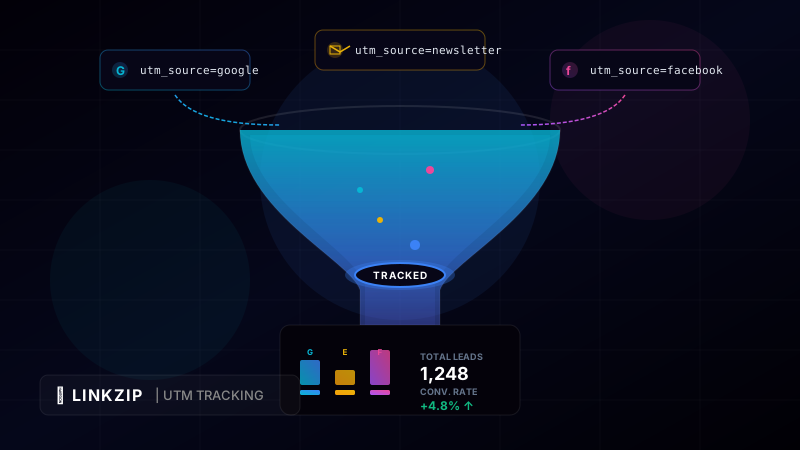
Imagine launching a multi-channel digital marketing campaign across Facebook, Google Ads, email newsletters, and partner blogs. After two weeks, your e-commerce store records a massive surge in sales. You are thrilled—but when you look at your basic web analytics dashboard, the traffic is lumped under “Direct” or “Referral”.
Which channel performed the best? Did the newsletter subscribers buy more than the Facebook audience? Was your Google Ads budget spent efficiently, or did it generate worthless clicks?
Without precise campaign tracking, you are marketing in the dark. You cannot calculate your return on investment (ROI) per channel, and you risk wasting money on underperforming channels while ignoring the ones that actually drive revenue.
The solution to this problem is UTM parameters. By appending simple tracking tags to the end of your URLs, you can track the exact source, medium, and campaign of every visitor who clicks your links. In this comprehensive guide, we will break down what UTM parameters are, how to use them effectively, and how to keep your shared links clean and professional using LinkZip.uk.
1. What are UTM Parameters?
UTM stands for Urchin Tracking Module. Urchin was a web analytics company acquired by Google in 2005, which laid the foundation for what is now Google Analytics. UTM parameters are small pieces of information (query parameters) added to the end of a URL. When a user clicks a URL with UTM tags, your analytics software (like Google Analytics, Plausible, or LinkZip) reads these tags and attributes the traffic accordingly.
There are five standard UTM parameters used in modern digital marketing:
A. Campaign Source (utm_source)
- What it does: Identifies the specific platform, publisher, or site sending the traffic.
- Examples:
google,facebook,newsletter,twitter,youtube. - URL example:
?utm_source=newsletter
B. Campaign Medium (utm_medium)
- What it does: Identifies the marketing or advertising channel. This tells you how the traffic is reaching you.
- Examples:
cpc(cost-per-click ads),email,social(organic social media),affiliate,print. - URL example:
?utm_medium=email
C. Campaign Name (utm_campaign)
- What it does: Identifies the specific product promotion, theme, or marketing campaign. This helps you group traffic from multiple channels under a single promotional umbrella.
- Examples:
summer_sale,black_friday_2026,product_launch_v2. - URL example:
?utm_campaign=summer_sale
D. Campaign Term (utm_term)
- What it does: Primarily used for paid search campaigns to track the specific keywords associated with the click.
- Examples:
running_shoes,best_url_shortener,affiliate_marketing_tips. - URL example:
?utm_term=running_shoes
E. Campaign Content (utm_content)
- What it does: Used to differentiate similar content or links within the same ad or email. This is highly useful for A/B testing call-to-action buttons or different ad creatives.
- Examples:
banner_blue,text_link_footer,sidebar_ad. - URL example:
?utm_content=banner_blue
2. Best Practices for Structuring UTM Tags
While UTM parameters are incredibly powerful, they are highly sensitive. If you do not maintain strict guidelines, your analytics data will quickly become fragmented and unreadable. Follow these best practices to keep your data clean:
A. Case Sensitivity is Critical
UTM parameters are case-sensitive. To your analytics dashboard, utm_source=Facebook, utm_source=facebook, and utm_source=FACEBOOK are treated as three completely separate sources. This leads to duplicate entries and makes it difficult to see the aggregate performance of a channel.
- The Rule: Always use lowercase for your UTM tags.
B. Avoid Spaces in Your Parameters
Browsers do not handle spaces in URLs well. They will convert spaces into %20, turning utm_campaign=summer sale into utm_campaign=summer%20sale. This looks messy and can cause issues with older database software.
- The Rule: Replace spaces with hyphens (
-) or underscores (_). Choose one standard (e.g., underscores) and enforce it across your team.
C. Keep it Concise
Avoid overly long campaign names. Instead of utm_campaign=new-product-launch-june-2026-promotion-final, use utm_campaign=june_launch_2026. Short, descriptive tags are easier to read, manage, and debug.
D. Establish a UTM Naming Convention Document
Ensure everyone in your marketing team uses the exact same names for mediums and sources. For example, agree on whether to use utm_medium=social or utm_medium=social-media. Having a shared spreadsheet of approved parameters prevents data pollution.
3. Summary Table of UTM Parameters
| Parameter | Required? | Primary Use | Example Value |
|---|---|---|---|
utm_source | Yes | Identifies the traffic source site | google, newsletter, linkedin |
utm_medium | Yes | Identifies the channel type | cpc, email, social, bio |
utm_campaign | Yes | Identifies the overall promotion | summer_sale, black_friday |
utm_term | No | Tracks search keywords | buy_leather_boots |
utm_content | No | Differentiates visual links / ads | red_button, text_link |
4. The Problem with Raw UTM Links (and How LinkZip Solves It)
While UTM parameters are invaluable for marketing attribution, they create highly problematic visual side effects when shared directly with users.
Take a look at this raw URL containing campaign tags:
https://www.myshop.com/products/backpack?utm_source=newsletter&utm_medium=email&utm_campaign=back_to_school&utm_content=cta_button
This link is incredibly long, intimidating, and clutters social media feeds or email copies. Furthermore, exposing raw UTM links reveals your internal marketing strategy to competitors, who can easily see what campaigns, search terms, and channels you are targeting.
Cloaking UTMs with LinkZip.uk
LinkZip solves this problem by allowing you to attach UTM parameters to the destination URL while presenting a beautiful, clean short link to the user.
When you shorten https://www.myshop.com/products/backpack?utm_source=newsletter&utm_medium=email&utm_campaign=back_to_school using LinkZip, you get a clean URL like:
https://linkzip.uk/bts-backpack
When a subscriber clicks linkzip.uk/bts-backpack, LinkZip processes the redirection in milliseconds, forwards the user to the destination with the UTM parameters fully intact, and records the click data in your LinkZip dashboard. Your audience sees a sleek, short link; your analytics software gets the rich attribution details; and your internal campaign strategies remain hidden.
5. Coding Example: Generating UTM URLs Programmatically
For automated campaigns, you can write a utility script to build UTM parameters and shorten them via the LinkZip API. Here is a Node.js script illustrating how to build a fully tracked URL and shorten it:
const fetch = require('node-fetch');
function buildUtmUrl(baseUrl, source, medium, campaign) {
const url = new URL(baseUrl);
url.searchParams.set(‘utm_source’, source);
url.searchParams.set(‘utm_medium’, medium);
url.searchParams.set(‘utm_campaign’, campaign);
return url.toString();
}
async function shortenCampaignLink() {
const apiKey = ‘lz_live_abc123xyz789’;
const rawUrl = ‘https://www.myshop.com/deals/summer’;
// Construct the tracked destination URL
const trackedUrl = buildUtmUrl(rawUrl, ‘newsletter’, ‘email’, ‘summer_clearance’);
// Result: https://www.myshop.com/deals/summer?utm_source=newsletter&utm_medium=email&utm_campaign=summer_clearance
console.log(Generated Tracked URL: ${trackedUrl});
const response = await fetch(‘https://api.linkzip.uk/v1/links’, {
method: ‘POST’,
headers: {
‘Authorization’: Bearer ${apiKey},
‘Content-Type’: ‘application/json’
},
body: JSON.stringify({
destination: trackedUrl,
title: ‘Summer Campaign Link’
})
});
const data = await response.json();
if (response.ok) {
console.log(Shortened Tracked Link: ${data.shortUrl});
} else {
console.error(‘Failed to shorten link:’, data.message);
}
}
shortenCampaignLink();
[!IMPORTANT] Make sure to always encode URL query strings when constructing links programmatically. In JavaScript, utilizing the built-in
URLandURLSearchParamsclasses handles the encoding of special characters like&automatically, preventing broken URLs and data loss.
6. Frequently Asked Questions (FAQ)
Can I track UTM parameters without Google Analytics?
Yes! While Google Analytics is the most common tool, almost all modern web analytics services (including Plausible, Fathom, and Matomo) support UTM parameter parsing out of the box. Additionally, the LinkZip.uk dashboard provides real-time click tracking, detailing referrer headers, geographic locations, and devices.
Can I edit UTM parameters after creating a LinkZip link?
Yes! If you made a typo in your UTM campaign name, you do not need to generate a new short link. Simply log into your LinkZip dashboard, edit the destination URL of the short link, correct the parameters, and save. All subsequent clicks will immediately point to the corrected UTM parameters.
Should I use UTM parameters on internal links?
No. This is a common marketing mistake. You should never use UTM parameters on links inside your own website (e.g., linking from your home page to your blog). Doing so will overwrite the original referral source. For example, if a user arrives via Google organic search and clicks an internal link containing ?utm_source=homepage, their active session is terminated, and a new session attributes their conversion to the homepage instead of Google search. Keep UTMs exclusively on inbound links from external sites.
Optimize Your Link CTR Today
Turn long, messy URLs into clean, branded, and trackable links in seconds with LinkZip. Boost your conversions and protect your brand.
Get Started FreeConclusion
Understanding and implementing UTM parameters is essential for running data-driven marketing campaigns. By tracking where your traffic originates, how it behaves, and which promotions convert, you gain the insights needed to allocate your budget effectively.
Do not let ugly, complex URLs clutter your messaging. Use LinkZip.uk to cloak your UTM parameters behind clean, high-converting branded short links, keeping your audience engaged and your analytics dashboard fully populated.