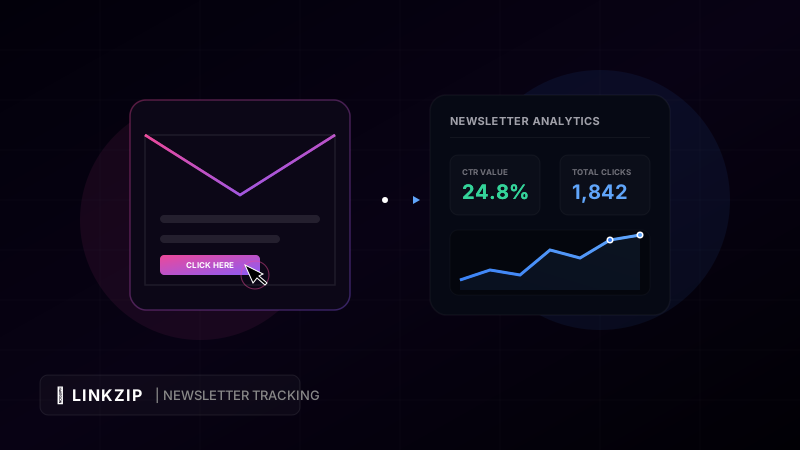
Email marketing continues to be one of the most reliable and high-ROI digital channels available. Building a direct connection with your audience through a newsletter allows you to bypass search engine updates and social media algorithm changes. However, simply hitting “Send” and hoping for the best is not enough. To run a successful campaign, you must measure how your subscribers interact with your content.
In the past, email marketers relied heavily on Open Rates to evaluate campaign performance. But with the introduction of privacy features like Apple’s Mail Privacy Protection (MPP)—which pre-fetches email content and automatically marks emails as “opened” even if they were never viewed—open rates have become highly unreliable.
Today, the single most critical metric for evaluating newsletter engagement and conversion is the Click-Through Rate (CTR). Knowing exactly who is clicking your links, what they are clicking, and when they are doing it is vital to refining your content strategy.
In this guide, we discuss what CTR is, why tracking it accurately can be challenging, and how using a professional utility like LinkZip.uk can improve your tracking precision while increasing subscriber trust.
1. What is Click-Through Rate (CTR) and How is it Calculated?
Before optimizing your newsletter, you must understand how to measure click engagement. There are two primary metrics used to assess clicks in email marketing:
A. Click-Through Rate (CTR)
This is the percentage of total email recipients who clicked on at least one link inside your email. It measures the overall effectiveness of your campaign from delivery to click.
$$\text{CTR} = \left( \frac{\text{Total Unique Clicks}}{\text{Total Emails Delivered}} \right) \times 100$$
For example, if you send a newsletter to 10,000 subscribers, and 500 unique users click on a link, your CTR is 5%.
B. Click-to-Open Rate (CTOR)
This is the percentage of recipients who opened your email and then went on to click a link. It measures the performance of your email’s internal content and design.
$$\text{CTOR} = \left( \frac{\text{Total Unique Clicks}}{\text{Total Unique Opens}} \right) \times 100$$
If 2,000 of those 10,000 recipients opened the email, and 500 clicked a link, your CTOR is 25%. While CTOR is a great indicator of content relevance, the inaccuracies introduced by automated Apple MPP open tracking make traditional CTR a much more reliable metric.
2. The Technical Challenges of Email Link Tracking
Most Email Service Providers (ESPs) like Mailchimp, ConvertKit, or ActiveCampaign offer built-in link tracking. When you write a link in your newsletter draft, the ESP automatically overwrites it with their own tracking domain.
While convenient, this setup introduces several technical and deliverability issues:
- Shared Domain Blacklists: ESP tracking links use shared domains (e.g.,
clk.convertkit.comorrs6.net). If another marketer on the same platform sends spam, those shared tracking domains can get blacklisted by Gmail or Outlook. As a result, your clean, legitimate newsletter could end up in the spam folder. - Loss of Referral Data: When a subscriber clicks a link inside a desktop email client (like Outlook or Apple Mail), the referrer header is often stripped. When they arrive at your website, they appear in your analytics dashboard as “Direct” traffic rather than “Email” traffic, skewing your marketing metrics.
- The “Unchangeable Link” Nightmare: Once you hit send on an email campaign, the content is delivered to your subscribers’ inboxes. If you notice a typo in your URL, or if the discount code landing page changes, you cannot edit that link. Your subscribers will click a broken link, costing you potential revenue.
3. Why Branded Link Tracking (LinkZip.uk) is the Solution
Using a dedicated, branded link management system like LinkZip.uk solves these email-specific tracking limitations:
A. Protecting Your Email Deliverability
By using LinkZip instead of your ESP’s shared tracking domain, your links are served from linkzip.uk rather than a domain reused by every other sender on that ESP. This isolates your sender reputation from bad actors sharing the same ESP, keeping your emails in the primary inbox.
B. Dynamic Link Management (Edits After Sending)
If you send a newsletter containing a LinkZip link and later discover that the destination URL has a typo, you do not need to panic. Simply log into your LinkZip dashboard and edit the destination URL. All subsequent clicks from the emails sitting in your subscribers’ inboxes will instantly redirect to the correct page.
C. Rich, Real-Time Analytics
LinkZip provides detailed, real-time analytics for every click. You can see the user’s country, device type (mobile vs. desktop), browser, and the exact timestamp of the click. This allows you to identify when your audience is most active and tailor your send times accordingly.
4. How to Implement LinkZip in Your Newsletters
Let us walk through the process of setting up a tracked, optimized link for your next email campaign.
Step 1: Create Your Branded Short Link
Log in to your LinkZip.uk dashboard. Paste your long landing page URL and customize your slug.
For example, convert:
https://my-online-store.com/collections/summer-sale?promo=SUMMER50&source=newsletterInto a clean, branded LinkZip redirect:
https://linkzip.uk/summer50Step 2: Write Clean HTML Anchor Tags
When constructing your newsletter HTML or plain-text templates, ensure you format the links correctly. If you append campaign parameters to your short link, you must use encoded ampersands (&) inside your code blocks to prevent parsing issues:
<!-- Email CTA Button with campaign tracking -->
<table role="presentation" border="0" cellpadding="0" cellspacing="0">
<tr>
<td align="center" style="border-radius: 6px;" bgcolor="#ec4899">
<a href="https://linkzip.uk/summer50?utm_source=newsletter&utm_medium=email&utm_campaign=summer-launch" target="_blank" style="font-family: Arial, sans-serif; font-size: 16px; color: #ffffff; text-decoration: none; padding: 12px 24px; border: 1px solid #ec4899; border-radius: 6px; display: inline-block; font-weight: bold;">
Shop the Summer Sale
</a>
</td>
</tr>
</table>This code generates a professional, high-converting call-to-action button that bypasses spam filters while collecting clean analytics.
5. Summary: Common CTR Issues and How to Fix Them
The table below breaks down the most common reasons for low newsletter click-through rates and how to solve them:
| Issue | Potential Cause | How to Fix |
|---|---|---|
| High Spam Placement | Flagged shared ESP tracking links | Route links through a dedicated domain using LinkZip.uk |
| Low Visual Appeal | Long, uncloaked, or messy URLs | Simplify links into short, memorable redirects |
| Subscribers Miss the Link | Weak call-to-action (CTA) text or layout | Use high-contrast buttons and place links in the first fold |
| Mismatched Web Analytics | Stripped referrer headers from email clients | Append UTM tags to your LinkZip destination links |
| Broken User Experience | Typos in URLs sent to subscribers | Update the destination URL instantly in the LinkZip dashboard |
6. Best Practices for Boosting Newsletter CTR
To maximize your newsletter’s click-through rates, implement these proven design and content strategies:
- Design for Mobile First: Over 50% of emails are opened on mobile devices. Ensure your CTA buttons are large enough to be easily tapped with a thumb (at least $44 \times 44$ pixels) and that your text font size is readable on small screens.
- Limit the Number of Options: Having too many links in a single email can cause “decision paralysis.” Keep your newsletter focused on one primary goal and place your main CTA button near the top of the email.
- Use Urgent and Clear Copy: Avoid generic anchor text like “Click Here” or “Read More.” Instead, use action-oriented, benefit-focused copy like “Get 50% Off Today” or “Download the Free Guide.”
- Segment Your Subscriber List: Send targeted content to specific segments of your audience rather than emailing your entire list. A subscriber interested in beginner tutorials is more likely to click a link tailored to beginners.
- Run Link A/B Tests: Use LinkZip to create two different short links pointing to the same destination. Send one version to a small portion of your list and the other to another portion to see which button styling, placement, or copy drives the most clicks.
7. Frequently Asked Questions (FAQ)
What is a good click-through rate for an email newsletter?
A typical email newsletter CTR ranges between 2% and 5%, depending on your industry. A CTR above 5% is considered excellent, while a CTR below 1.5% indicates that your audience segmentation, subject lines, or call-to-actions need adjustment.
How does Apple’s MPP impact my click metrics?
Apple Mail Privacy Protection only affects open rates and open-derived metrics (like CTOR). It does not affect click metrics. Because clicks require a physical user action that routes through a web browser, click tracking remains 100% accurate.
Can I track multiple links in the same newsletter?
Yes! You can create separate LinkZip short links for every link in your newsletter (e.g., linkzip.uk/news-1, linkzip.uk/news-2). This allows you to track exactly which article or product generated the most interest in a weekly digest.
Optimize Your Link CTR Today
Turn long, messy URLs into clean, branded, and trackable links in seconds with LinkZip. Boost your conversions and protect your brand.
Get Started FreeConclusion
In an era of increasing email privacy regulations, tracking click-through rates is the only way to accurately measure newsletter engagement. While native email service provider links can hurt deliverability and lock you into broken URLs, a dedicated link management platform provides the flexibility, reliability, and security you need.
By routing your newsletter links through LinkZip.uk, you can protect your sender reputation, edit broken destination URLs in real-time, and collect clean analytics to continuously improve your email marketing campaigns. Start optimizing your newsletter links today!