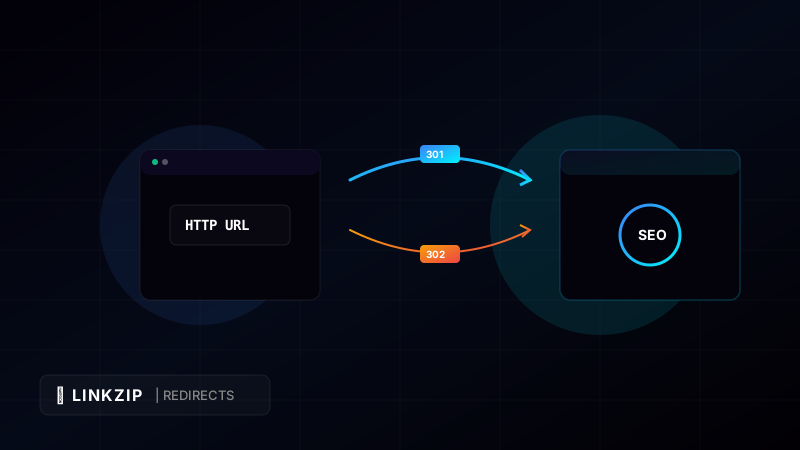
Websites are dynamic ecosystems. Over time, pages are renamed, sites are restructured, domains are consolidated, and products are moved to new URLs. When these changes occur, you must ensure that users and search engine crawlers are routed to the new destination without encountering a dead end (a 404 Not Found error).
This routing process is achieved using HTTP redirections.
However, not all redirects are processed equally by search engines. Choosing the wrong type of redirect can cause your search engine rankings to drop, resulting in a loss of organic traffic. The two most common redirects are 301 (Moved Permanently) and 302 (Found / Moved Temporarily).
In this guide, we break down the technical differences between 301 and 302 redirects, how they impact your SEO, and how LinkZip.uk manages redirects to protect your digital assets.
1. What is a 301 Permanent Redirect?
A 301 redirect is an HTTP status code sent by a web server to a browser or search engine crawler indicating that the target resource has been moved permanently to a new URL.
Key Characteristics:
- SEO Value Transfer (Link Equity): A 301 redirect transfers nearly 95% to 99% of the link authority (often referred to as “link juice”) from the old URL to the new one. This means the new page will inherit the search ranking strength of the old page.
- Search Engine Behavior: Search engine indexes (like Google) will remove the old URL from their index and replace it with the new URL.
- Browser Caching: Browsers will cache a 301 redirect. The next time a user types the old URL, the browser will instantly direct them to the new destination without querying the original server again.
Common Use Cases:
- Permanently migrating a website from
http://tohttps://. - Moving your site to a new domain name (e.g.,
brand.comtonewbrand.com). - Consolidating two overlapping blog posts into one comprehensive guide.
2. What is a 302 Temporary Redirect?
A 302 redirect indicates that the requested resource resides temporarily under a different URL. It tells browsers and search engines that the move is not permanent and that the resource will return to the original URL in the future.
Key Characteristics:
- No Link Equity Transfer: A 302 redirect does not transfer authority from the old URL to the new one. The search ranking power remains tied to the original URL.
- Search Engine Behavior: Search engines keep the original URL indexed. The temporary destination page will generally not be indexed under the original keyword rankings.
- No Browser Caching: Browsers do not cache a 302 redirect. They will query the origin server every time to check if the temporary redirect is still active.
Common Use Cases:
- A/B testing a landing page to see which design converts better.
- Temporarily redirecting users to a maintenance page while updating your website.
- Redirecting customers to localized versions of a store based on geographic location.
3. The Comparison: 301 vs. 302 At a Glance
| Feature | 301 Redirect | 302 Redirect |
|---|---|---|
| Status Name | Moved Permanently | Found (Moved Temporarily) |
| SEO Impact | Transfers domain authority | Does not transfer authority |
| Google Index | Replaces old URL with new URL | Keeps original URL indexed |
| Browser Cache | Cached locally by the browser | Checked dynamically every time |
| LinkZip Standard | Yes (Default Redirect) | Used for temporary campaigns |
4. Redirections and URL Shortening: The LinkZip.uk Advantage
When you use a URL shortener like LinkZip.uk, you are essentially creating a redirect layer. If a user clicks linkzip.uk/blog-post, our server must immediately tell their browser where to go.
Why LinkZip Uses High-Speed 301 Redirects by Default:
To protect your brand’s SEO, LinkZip executes fast 301 redirects. This choice guarantees that:
- SEO Value Passes Through: If you use shortened links to share your blog articles across forums, social media, or other websites, the resulting backlinks will still pass SEO ranking authority back to your main website.
- Instant Page Loads: By configuring correct HTTP headers, the redirection occurs in milliseconds, ensuring a seamless user experience (UX) without sluggish load screen delays.
- Dynamic Update Support: Even though the redirect is structurally permanent for the browser, LinkZip allows you to edit the target URL in your dashboard. If you update the link, our servers will automatically update the 301 destination instruction, ensuring your shared links never break.
5. Frequently Asked Questions (FAQ)
How long does it take Google to process a 301 redirect?
While the redirect is active immediately for users, search engine crawlers can take anywhere from a few days to several weeks to re-crawl both URLs, transfer the authority, and update their search results indexes.
Can a 302 redirect hurt my SEO?
Only if used incorrectly. If you permanently move a page but use a 302 redirect, search engines will continue to index the old, dead URL and will not pass authority to the new page, causing your rankings to degrade over time.
How do I check what redirect type my link is using?
You can use free online HTTP header checkers or inspect the network tab in your browser’s developer tools. Look for the Status Code response: a permanent redirect will show 301 Moved Permanently, while a temporary redirect will show 302 Found.
Optimize Your Link CTR Today
Turn long, messy URLs into clean, branded, and trackable links in seconds with LinkZip. Boost your conversions and protect your brand.
Get Started FreeConclusion
Understanding the distinction between 301 and 302 redirects is vital for maintaining your website’s search engine visibility and ensuring a positive user experience. When migrating content permanently, always use a 301 redirect to preserve your hard-earned SEO authority. By choosing LinkZip.uk for your outbound links, you guarantee that your redirects are optimized for speed, reliability, and search engine compliance. Maintain your site authority and optimize your redirects today.