For years, print marketing and digital marketing existed in two completely separate silos. Marketers struggled to bridge the gap between physical flyers, billboards, packaging, and business cards and the online landing pages where transactions actually occurred. Measuring the return on investment (ROI) of a print campaign was largely guesswork, relying on generic discount codes or asking customers, “How did you hear about us?”
Then came the global resurgence of QR (Quick Response) codes. Driven by the need for contactless interaction, QR codes have transformed from a dated technology into a standard tool for connecting the offline and online worlds (often called Offline-to-Online or O2O marketing).
However, not all QR codes are created equal. Creating a QR code that links directly to a long, complex URL is a major mistake. It leads to scanning failures, unreadable print graphics, and unchangeable destinations.
In this comprehensive guide, we will examine the mechanics of QR codes, explain why dynamic QR codes (powered by link shorteners like LinkZip.uk) are crucial for print campaigns, and show you how to accurately track the performance of your offline marketing channels.
1. Static vs. Dynamic QR Codes: What’s the Difference?
Before launching a print campaign, you must understand the distinction between static and dynamic QR codes. This choice will determine whether your campaign can adapt to changes and be tracked.
Static QR Codes
In a static QR code, the destination URL is hardcoded directly into the QR pattern itself. The data is encoded pixel by pixel.
- The Problem: Because the data is hardcoded, the destination URL cannot be changed once the QR code is generated or printed. If you make a typo, or if your landing page changes from
mysite.com/promotomysite.com/summer-promo, your printed materials become completely useless, forcing an expensive reprint. - No Tracking: Static QR codes do not pass through a redirection server, meaning you cannot track click counts, location data, or scanning times.
Dynamic QR Codes
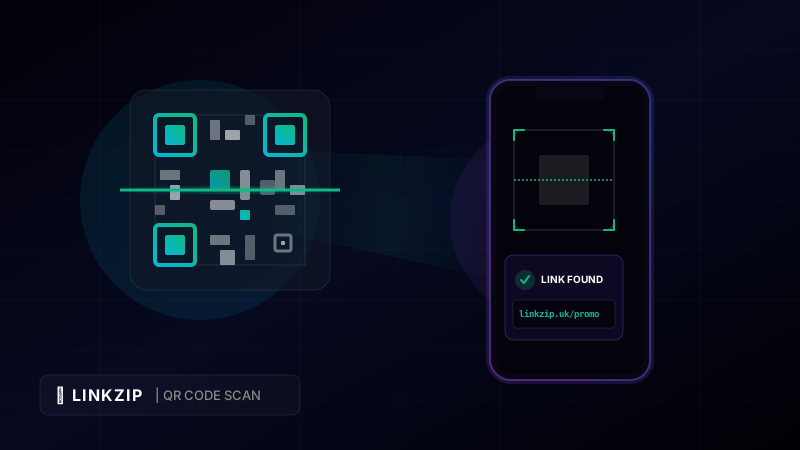
In a dynamic QR code, the pattern does not encode your final destination URL. Instead, it encodes a short redirection URL (such as a LinkZip link: linkzip.uk/promo). When a customer scans the code, their device visits the short link, which instantly forwards them to your actual landing page.
- The Advantage: Because the QR code points to a redirection link, you can change the final destination URL at any time in your LinkZip dashboard. You can point the QR code to a new product page today and a feedback form tomorrow, all without changing the printed QR code.
- Rich Analytics: Because every scan passes through LinkZip, you capture real-time analytical data, including scan counts, geographic locations, scan times, and the operating systems of the scanning devices.
2. Why URL Length Affects QR Code Scannability (Density)
One of the most common mistakes in print design is generating QR codes from long, untracked URLs. The quantity of data encoded in a QR code determines its density—the number of black and white squares (modules) in the grid.
- Long URLs = High Density: A URL with 150 characters results in a highly dense QR code with hundreds of tiny squares. This makes the QR code complex and difficult for cameras to read. High-density QR codes require perfect lighting, high-resolution printing, and require the user to stand close to the code. If printed on a small surface (like a business card or product tag) or on a textured material, a dense QR code will often fail to scan.
- Short URLs = Low Density: A shortened URL (like
linkzip.uk/qr1) contains very few characters. This produces a simple, low-density QR code with large, clean squares. Low-density QR codes are incredibly robust—they scan instantly, even in low light, from a distance, or when printed in small sizes.
3. Best Practices for Print QR Codes
To ensure your QR code campaigns succeed, follow these essential design and placement rules:
- Keep it Short: Always use a link shortener to keep the QR code density low, ensuring fast scans.
- Add a Call to Action (CTA): Do not just print a raw QR code. Tell users why they should scan it. Add text like “Scan to get 20% off” or “Scan to view menu.”
- Size Matters: A QR code should be at least 2 cm x 2 cm (0.8 in x 0.8 in) for standard print handouts. For billboards or transit ads, scale the code proportionally to the distance from which it will be scanned.
- Maintain Contrast: Use dark colors for the QR code pattern and a light background. Never invert the colors (white QR pattern on a black background), as many older barcode reader apps cannot process inverted matrices.
- Test Before Printing: Print a test page on a standard office printer and test it with multiple phone models and lighting conditions before sending your designs to a commercial printer.
4. Comparing Static and Dynamic QR Codes
| Feature | Static QR Codes | Dynamic QR Codes (LinkZip) |
|---|---|---|
| Changeable URL | No (Locked forever once printed) | Yes (Update target URL anytime) |
| Scan Analytics | No (Blind campaigns) | Yes (Real-time scans, geolocation, devices) |
| QR Code Density | High (Hard to scan if URL is long) | Low (Always clean, fast, and easy to scan) |
| Ideal Use Case | One-off, permanent URLs (e.g., wifi credentials) | Marketing flyers, menus, product packaging, posters |
5. Coding Example: Generating Trackable Short Links Programmatically
If you are running an automated print preparation system (such as generating custom flyers or mailing brochures with unique tracking codes), you can automate short link creation using the LinkZip REST API, then pass the resulting URL to a QR-generation library or service of your choice.
Here is a Node.js example showing how to create a tracked short link and hand it off to generate its QR code:
const fetch = require('node-fetch');
const fs = require('fs');
async function generateDynamicQrCode() {
const apiKey = ‘lz_live_abc123xyz789’;
const targetUrl = ‘https://www.mybrand.com/offline-promo?utm_source=flyer&utm_medium=print&utm_campaign=spring_festival’;
// Step 1: Create the short link in LinkZip
const response = await fetch(‘https://api.linkzip.uk/v1/links’, {
method: ‘POST’,
headers: {
‘Authorization’: Bearer ${apiKey},
‘Content-Type’: ‘application/json’
},
body: JSON.stringify({
destination: targetUrl,
title: ‘Spring Festival Print Flyer’
})
});
const data = await response.json();
if (!response.ok) {
console.error(‘Failed to create link:’, data.message);
return;
}
const shortLink = data.shortUrl;
console.log(Created Short Link: ${shortLink});
// Step 2: Generate the QR code image for this short link using a
// third-party QR library or service — LinkZip does not host a QR endpoint,
// it only creates and tracks the underlying short link.
const qrImage = await generateQrCodeWithYourLibrary(shortLink);
console.log(Print-ready QR code generated for: ${shortLink});
}
generateDynamicQrCode();
[!IMPORTANT]
generateQrCodeWithYourLibraryabove is a placeholder for whichever QR library or service you choose (LinkZip does not generate QR images). Notice how we use&to separate the query parameters in the target URL inside the Javascriptcodeblock. This ensures robust string interpretation across various environment rendering parsers.
6. Frequently Asked Questions (FAQ)
Can I track the physical location where the QR code was scanned?
LinkZip captures the IP address of the device performing the scan, which allows us to determine the city and country of the scanner. While we cannot pinpoint the exact street address (due to privacy regulations and IP range mapping), you can track physical locations by using unique short links for different poster locations (e.g., linkzip.uk/poster-soho vs. linkzip.uk/poster-chelsea).
What format should I use for printing QR codes?
For small items like business cards, high-resolution PNG or JPG formats are sufficient. For large displays like banners or billboards, use vector formats (like SVG or PDF) to prevent pixelation when scaling.
Will my dynamic QR code stop working if I cancel my subscription?
As long as your short links remain active, your QR codes will continue to scan. LinkZip offers reliable, lifetime redirect routing on our free and paid plans, ensuring your printed materials never link to broken pages.
Create Dynamic QR Codes
Shorten your destination URL with LinkZip first to make your printed QR codes dynamic. Update your destination link anytime without reprinting.
Generate Dynamic LinksConclusion
Dynamic QR codes are the ultimate bridge connecting your offline marketing investments to your digital analytics pipeline. By using a short redirection link powered by LinkZip.uk, you keep your QR codes clean and easy to scan, protect yourself from costly printing mistakes, and gain the precise tracking insights needed to measure offline campaign performance.
Incorporate dynamic QR codes into your packaging, signs, and flyers today to start measuring and scaling your print marketing ROI.