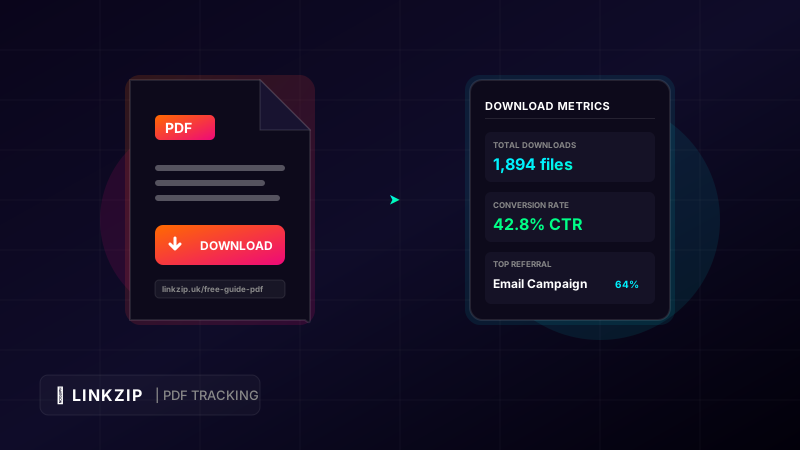
Lead magnets are the lifeblood of email marketing. Offering a high-value resource—such as an ebook, a checklist, a whitepaper, or a templates library—in exchange for an email address is one of the most effective ways to build a high-quality subscriber list. In most cases, these resources are delivered as PDF files due to their universal compatibility and consistent layout across devices.
However, once you send that welcome email containing the PDF, a massive analytical blind spot opens up. Traditional email marketing services can tell you if a user opened the email or clicked the download button, but they cannot tell you:
- Did the user actually download the file?
- How many times did they access it?
- Are they sharing the direct download link with others?
- What devices are they using to read your content?
By wrapping your PDF delivery link in a branded, trackable dynamic URL with LinkZip.uk, you convert a static document download into a stream of real-time marketing data. This guide covers how to set up, track, and measure your PDF downloads to improve your lead nurturing campaigns.
1. Why Tracking PDF Downloads Matters
If you do not track your downloads, you are missing critical behavioral indicators from your leads. In marketing, not all leads are created equal. A lead who opens your email but never downloads the resource is “cold.” A lead who downloads the PDF within seconds and opens it multiple times is “warm” and prime for a follow-up sales sequence.
Key Benefits of Download Tracking:
- Validate Lead Quality: Determine if your landing page copies are attracting genuine buyers or just people hoarding free assets.
- Optimize Follow-up Timing: If you see a user download your checklist, scheduling your follow-up email 2 hours later—while the information is fresh in their mind—will yield significantly higher engagement.
- Prevent Referral Leaks: If a subscriber shares your direct download URL on social media or forums, you lose out on email signups. Tracking allows you to see if a single link is receiving hundreds of clicks from unrecognized email addresses.
- Content Refinement: If your metrics show that 90% of your audience downloads PDFs on mobile, you should redesign your templates to use larger fonts and a single-column layout.
2. Comparing PDF Delivery Methods
There are three primary ways to deliver PDF files to your email list. Let’s compare their analytical value and ease of use:
A. Direct Email Attachments
Attaching a 5MB PDF directly to your automated welcome email is a poor practice. Large attachments trigger spam filters, reducing your overall email deliverability. Furthermore, you have absolutely zero tracking capabilities. Once the email is delivered, you have no way to know if the attachment was ever opened.
B. Raw Cloud Storage Links
Hosting your PDF on Google Drive, Dropbox, or Amazon S3 and pasting the raw sharing URL in the email is slightly better. However, these links are long, messy, and hard to manage.
- Example Google Drive link:
https://drive.google.com/file/d/1aBcDeFgHiJkLmNoPqRsTuVwXyZ/view?usp=sharing&download=true - Example Dropbox link:
https://www.dropbox.com/s/abcdefg12345/my-guide.pdf?dl=1&pv=active
These links look unprofessional and expose your internal storage file structures. Furthermore, if you need to update the PDF (e.g., fixing a typo or updating stats), you will have to upload a new file, generate a new sharing link, and update your email campaigns.
C. Branded Redirect Links (The Best Practice)
By hosting the file in the cloud and shortening the URL with LinkZip, you get a clean, recognizable link (e.g., linkzip.uk/growth-guide). When a user clicks, LinkZip records the click data in milliseconds and seamlessly redirects the browser to the direct PDF file download. This gives you complete brand control and real-time tracking.
3. Step-by-Step: Setting Up PDF Tracking with LinkZip
Setting up a secure and trackable PDF delivery flow is straightforward. Follow these steps:
Step 1: Host Your PDF File
Upload your PDF document to a reliable cloud storage provider. Ensure the file sharing permissions are set to “Public” or “Anyone with the link can view/download.”
Step 2: Generate the Direct Download Link
Make sure the link you use forces a download or displays the file cleanly in the browser.
- Dropbox Tip: Change the end of the Dropbox sharing URL from
dl=0todl=1to force an immediate download instead of sending the user to the Dropbox preview interface. - Amazon S3 Tip: S3 links are excellent for direct delivery, but they are highly technical. An S3 link might look like:
https://s3.amazonaws.com/mybucket/ebooks/guide.pdf?versionId=123&type=pdf
Step 3: Create Your LinkZip Redirect
- Log in to your dashboard at LinkZip.uk.
- Paste your long cloud hosting link into the URL composer.
- Set a custom alias that reinforces your branding and clearly identifies the resource (e.g.,
linkzip.uk/seo-checklist). - Save the link.
Step 4: Integrate into Your Marketing Funnel
Insert your clean LinkZip URL in:
- The call-to-action button of your welcome email.
- The “Thank You” landing page that appears immediately after a user submits their email.
- Your social media profiles if you are running organic lead generation campaigns.
4. Analyzing Your Download Reports
Once your campaign goes live, LinkZip provides real-time click and traffic data. Here is how to interpret your dashboard reports to drive sales:
- Conversion Rate (CTR): Compare the number of users who landed on your thank-you page with the number of unique clicks on your LinkZip PDF link. If your thank-you page gets 100 visits but the PDF link only gets 40 downloads, your button placement is not prominent enough.
- Traffic Referral Sources: If you share the same LinkZip link across different welcome sequences or landing pages, adding distinct aliases (e.g.,
/guide-emailvs./guide-thankyou) allows you to see which step of your funnel drives the actual downloads. - Device Context: Do your users download the PDF on desktop or mobile? If mobile dominates, ensure your follow-up offers are optimized for mobile checkouts.
5. Frequently Asked Questions (FAQ)
Does using a redirect link slow down the PDF download for my users?
No. LinkZip’s redirection servers are optimized for speed, processing redirects in under 100 milliseconds. The user will not notice any delay; the download will begin almost instantly.
Can I update the PDF content without changing the link in my emails?
Yes! This is one of the most powerful features of LinkZip. If you release a new version of your PDF, simply upload it to your cloud storage, copy the new URL, and update the destination in your LinkZip dashboard. You do not need to edit your automated emails or landing pages; the existing link will automatically route users to the new file.
How do I prevent search engines from indexing my PDF direct links?
When you host files on Google Drive or S3, search engine crawlers can sometimes find and index them, allowing users to find your PDF via Google Search without giving you their email. By routing traffic through a LinkZip link that uses a 301 redirect, search engine bots are directed to follow the redirect, but because they do not submit forms, they cannot bypass your landing page gate.
Conclusion
Delivering PDF lead magnets is a proven strategy to grow your audience, but doing so without tracking leaves you in the dark. By utilizing branded, dynamic redirect links with LinkZip.uk, you protect your deliverability, build professional credibility, and gain access to deep behavioral analytics. Take control of your lead magnet funnel, track every download, and optimize your conversions today. By adopting a professional link management service like LinkZip.uk, content creators can gain complete visibility over their traffic, secure their commissions, and maintain brand consistency across all channels.