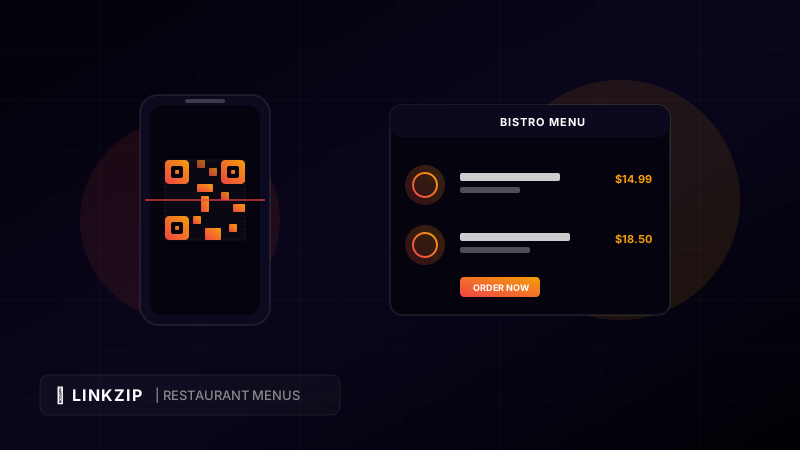
The restaurant industry has undergone a technological renaissance. While table-side QR codes initially gained widespread adoption during the pandemic as a hygienic, contactless solution, they have transitioned from a temporary safety measure into a permanent operational standard. Today, forward-thinking restaurants, bars, and cafes rely on digital menus to streamline their service.
However, not all QR codes are created equal.
Many restaurant owners make the mistake of using static QR codes for their menus. Static QR codes encode a specific, unchangeable web address directly into the pixel pattern. If that web address changes, the QR code breaks, requiring the restaurant to reprint and redistribute all of their physical stickers, flyers, and table tents.
The modern solution is the dynamic QR code. In this article, we explain how dynamic QR codes work, their massive advantages over static alternatives, and how you can easily implement them in your restaurant using LinkZip.uk.
What is a Dynamic QR Code?
A dynamic QR code does not point directly to your final menu file (such as a large PDF or a web page). Instead, it points to a short redirect URL. When a customer scans the code, their phone loads the redirect link, which instantly routes them to the final menu destination.
Because the QR code itself only encodes a simple redirect URL (e.g., linkzip.uk/bistro-menu), the physical code never needs to change. You can change the final destination URL behind the redirect link as many times as you want.
This separation of the physical code from the digital content unlocks incredible flexibility for hospitality businesses.
Key Advantages of Dynamic QR Codes for Restaurants
Switching to dynamic QR codes solves several major pain points for restaurant staff and management:
1. Real-Time Menu Updates (Without Reprinting)
Menus are constantly changing. Ingredients go out of stock, prices fluctuate due to inflation, and chef specials rotate daily. With a static QR code, you cannot edit these details without updating your website URL or uploading a new file, which might break the QR code printed on your physical tables.
With dynamic QR codes, you can change the target URL in seconds. If you switch from a lunch menu to a dinner menu, you simply update the redirect link in your dashboard. The physical QR code sticker on the table remains exactly the same.
2. High-Resolution, Easier-to-Scan Codes
The complexity of a QR code’s pixel pattern depends on the length of the text encoded inside it. A long URL like https://www.myrestaurantname.com/wp-content/uploads/2026/06/menus/lunch-menu-final-v2.pdf produces a dense, complex QR pattern that can be difficult for older smartphones or low-light environments (like candlelit dining rooms) to scan.
Because dynamic QR codes encode short URLs (like linkzip.uk/menu), the resulting QR code has a very simple, clean pattern. This allows phones to scan it instantly, even from a distance or in low light.
3. Customer Scan Analytics
How do you know if your customers are actually reading your menu, and when are they most active? Static QR codes offer zero data.
Dynamic QR codes routed through a redirection service like LinkZip.uk provide real-time click and scan analytics. You can track:
- Scan volume: How many times your menu is scanned daily.
- Time of scan: When peak dining hours occur (helping you optimize staffing).
- Device types: Whether customers are using iPhones or Android devices.
- Geographic data: Where tourists or locals are coming from.
4. Direct Marketing Integrations
Dynamic redirect links allow you to append tracking parameters (like UTM tags) to your menu URLs. This is extremely useful if you run digital ads or promotions.
<!-- Example of a dynamic menu link containing tracking parameters -->
<a href="https://linkzip.uk/bistro-menu?utm_source=table-qr&utm_medium=scan&utm_campaign=summer-menu">
View Dining Menu
</a>Using these parameters, you can track how many customers who scanned the menu at the table eventually signed up for your email newsletter or ordered takeout online.
How to Set Up Your Restaurant QR Menu with LinkZip.uk
Setting up a dynamic menu system is simple and takes less than five minutes:
- Upload Your Menu: Host your menu PDF on your website, Google Drive, Dropbox, or a digital menu platform.
- Shorten Your URL: Log in to LinkZip.uk and shorten the menu URL. Customize the alias to make it clean (e.g.,
linkzip.uk/your-restaurant-name). - Generate Your QR Code: Use a free QR code generator to create a QR code pointing to your customized short URL.
- Print and Display: Print the QR code on table tents, stickers, or window displays.
- Update on the Fly: Whenever you need to update your menu, simply change the destination link inside LinkZip.uk. Your printed QR codes will automatically route customers to the new menu page.
Static vs. Dynamic QR Codes for Restaurants
Here is a side-by-side comparison of the two technologies:
| Feature | Static QR Codes | Dynamic QR Codes (via LinkZip.uk) |
|---|---|---|
| URL Flexibility | Hardcoded (Permanent) | Editable at any time |
| Scan Reliability | Harder in low light (dense pattern) | Fast scan (clean, simple pattern) |
| Data Analytics | None | Real-time counts, devices, & times |
| Reprinting Costs | High (every menu change) | Zero (print once, update online) |
| URL Branding | Long, cluttered | Clean, short, & branded |
Frequently Asked Questions (FAQ)
What happens if our Wi-Fi goes down?
If your local Wi-Fi goes down, customers can still scan the QR code using their mobile data (LTE/5G) because the redirect URL is extremely lightweight and loads quickly on any mobile network.
Can we route customers to different menus based on the time of day?
Yes. With dynamic link redirection, you can schedule or manually change the target destination of your short link. For example, you can point linkzip.uk/menu to your breakfast menu in the morning, and update it to point to your dinner menu in the afternoon.
Do customers need an app to scan our QR code?
No. Almost all modern iOS and Android smartphones have built-in QR code scanners directly in their native camera apps. Customers simply open their camera, point it at the QR code, and tap the link that appears.
Create Dynamic QR Codes
Shorten your destination URL with LinkZip first to make your printed QR codes dynamic. Update your destination link anytime without reprinting.
Generate Dynamic LinksConclusion
Dynamic QR codes are a game-changer for restaurant operations. They eliminate the hassle and cost of reprinting menus, load instantly due to their simplified pixel structure, and provide restaurant owners with valuable data about customer behavior. By managing your digital menu links through LinkZip.uk, you take full control of your restaurant’s dining experience, saving time and resources while providing a modern, seamless service for your guests.