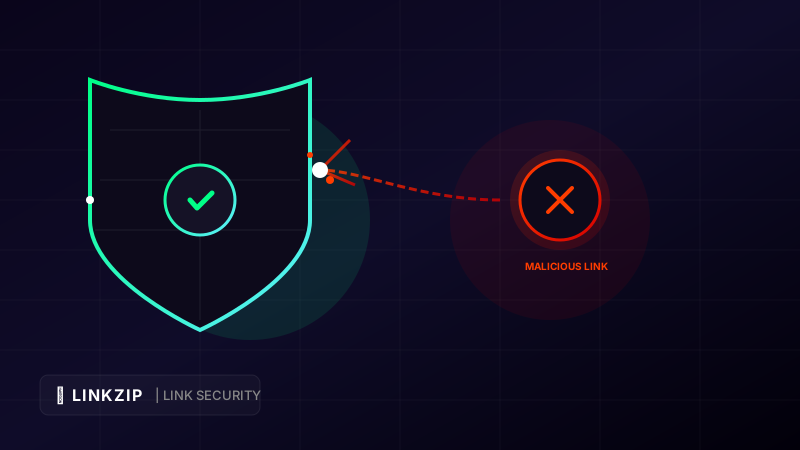
The internet runs on links. Every article we read, product we buy, and video we watch begins with a click. But this seamless connectivity comes with a significant security risk. Cybercriminals constantly weaponize links to distribute malware, harvest credentials through phishing sites, and redirect users to spam networks.
For creators, businesses, and digital marketers, link security is not just an IT issue—it is a critical pillar of brand reputation. Sharing a single link that leads to a compromised or malicious page, even by accident, can immediately destroy years of audience trust. Furthermore, search engines and social media platforms are highly unforgiving: if you are flagged for sharing unsafe URLs, your social media accounts can be permanently suspended, and your website domain blacklisted.
In this guide, we will explore the different types of link threats, explain how LinkZip.uk automatically scans and blocks malicious URLs, and outline security best practices to protect your brand and audience.
1. Understanding the Anatomy of Malicious Links
Before you can defend against link threats, you need to understand what cybercriminals are trying to achieve. Malicious links generally fall into three main categories:
A. Phishing and Credential Harvesting
Phishing links direct users to counterfeit websites that mimic reputable brands (like banks, email providers, or social media login panels). The goal is to trick the user into entering their username, password, or credit card details.
- Example phishing URL structure:
https://secure-login-portal-bank.com/signin?session=9283&user=target_victim
B. Drive-By Malware Downloads
These links route users to servers configured to exploit vulnerabilities in web browsers or plugins. Simply landing on the page can trigger an automatic download of spyware, ransomware, or keyloggers without the user’s consent or knowledge.
C. Malicious Redirect Chains
Cybercriminals often use a technique called “redirect hijacking.” They shorten a link using a generic tool, which then routes through multiple intermediate domains to bypass security scanners before landing on a malicious target. This obfuscation makes it difficult for standard email filters or firewalls to detect the threat.
2. The Marketing & SEO Consequences of Bad Links
If a malicious link slips into your marketing channels, the damage spreads quickly across three main areas:
- Destruction of Audience Trust: If a follower clicks a link in your newsletter and gets a virus warning, they will likely unsubscribe and warn others. Trust takes years to build and seconds to lose.
- Social Media Bans: Platforms like Facebook, X, and Instagram use automated crawlers to scan every external link. If your URL points to a domain flagged for spam or malware, your post will be deleted, and your profile could face a shadowban or permanent termination.
- Domain Reputation Damage: Email providers (Gmail, Outlook) monitor the links contained in your outgoing messages. If those links are blacklisted, your future emails will go straight to the spam folder, ruining your email marketing ROI.
3. How LinkZip.uk Automatically Blocks Threats
To prevent these disasters, LinkZip.uk integrates robust, enterprise-grade link screening directly into its shortening pipeline. This ensures that every short link created on the platform is scanned and verified safe.
[User Clicks Short Link] ---> [LinkZip Scanner (API Safe Check)]
                                      |
                 +--------------------+--------------------+
                 |                                         |
         [Result: SAFE]                            [Result: MALICIOUS]
                 |                                         |
      (Instant Redirect to Target)                (Immediate Access Blocked Page)
A. Real-Time API Scans
Whenever a user inputs a URL to be shortened, LinkZip queries security databases—including Google Safe Browsing and other threat-intelligence networks. If the target URL matches a known phishing site, malware host, or spam redirect, the shortener rejects the URL immediately and flags the account.
B. Dynamic Threat Protection
What happens if a target website was safe when you shortened the link, but gets hacked and infected with malware weeks later?
Traditional link shorteners would continue redirecting users to the infected site. LinkZip, however, uses dynamic scanning. When a user clicks a link, LinkZip’s backend checks the destination’s security status. If the destination has been compromised, the user is redirected to a secure landing warning page rather than the malicious site. This protects your audience even if your target pages are compromised.
4. Best Practices for Maintaining Link Security
While LinkZip provides a powerful shield, you should implement these best practices to maintain complete link integrity:
- Use Branded Custom Slugs: Instead of using a random string, use a descriptive custom slug (e.g.,
linkzip.uk/yourbrand-offer) on your LinkZip links. Recognizable, on-brand slugs are harder for scammers to spoof convincingly and give your audience a clear visual cue that the link is authentic and safe. - Enable Multi-Factor Authentication (MFA): Protect your LinkZip account with MFA. If a hacker gains access to your dashboard, they could change your redirect destinations to point to malicious sites, hijacking your entire traffic funnel.
- Regularly Audit Active Redirects: Periodically review your dashboard for old links. If you are no longer using a link, delete it or redirect it to your homepage to ensure it cannot be exploited later.
5. Security Comparison: LinkZip vs. Raw Sharing Links
| Security Feature | Raw Cloud/Destination Link | Generic URL Shortener | LinkZip.uk |
|---|---|---|---|
| API Threat Verification | No | Basic / None | Yes (Google Safe Browsing) |
| Dynamic URL Editing | No | No | Yes (Change destination instantly) |
| Warning Block Screen | Depends on browser | No | Yes (Protects user immediately) |
| Custom Domain Support | Expensive/Complex | Paid plans only | Coming soon |
6. Frequently Asked Questions (FAQ)
How long does the safety scan take? Does it slow down the link?
The initial scan happens instantly when the link is shortened. The real-time checks are optimized to run in parallel with the routing database query, adding less than 50 milliseconds to the redirect speed. Your users will not experience any noticeable delay.
What should I do if my link is blocked as a false positive?
If you believe your target website is safe but it is being blocked by LinkZip, it is likely because your domain was flagged by a third-party registry (like Google Safe Browsing). You must submit a request to the security registry to clear your domain. Once they update their database, LinkZip will automatically remove the block.
Can LinkZip block spam bots from clicking my links?
Yes. LinkZip’s analytics engine filters out recognized web crawlers, search bots, and scrapers. This ensures your dashboard metrics reflect real human clicks rather than bot noise, keeping your statistics clean.
Optimize Your Link CTR Today
Turn long, messy URLs into clean, branded, and trackable links in seconds with LinkZip. Boost your conversions and protect your brand.
Get Started FreeConclusion
Link security is a crucial element of brand management. By switching to branded short links managed by LinkZip.uk, you build a secure barrier between your audience and potential web threats. Real-time safety scans, dynamic editing, and automatic warning screens protect your followers, preserve your email deliverability, and keep your social media accounts safe. Protect your digital assets and gain peace of mind by securing your links today.